Published article
Your AI coding agent reads all your other projects and secrets. That's a problem worth fixing.
Claude Code, Cursor, and similar agents read files across your whole filesystem. Why that is a real isolation problem, and the encrypted per-project sandbox I built to contain it without killing usability.
- security
- devtools
- agents
- encryption
- isolation
Claude Code, Cursor, and similar tools browse your filesystem for context. They read files, access logged-in accounts, and run scripts on your behalf.
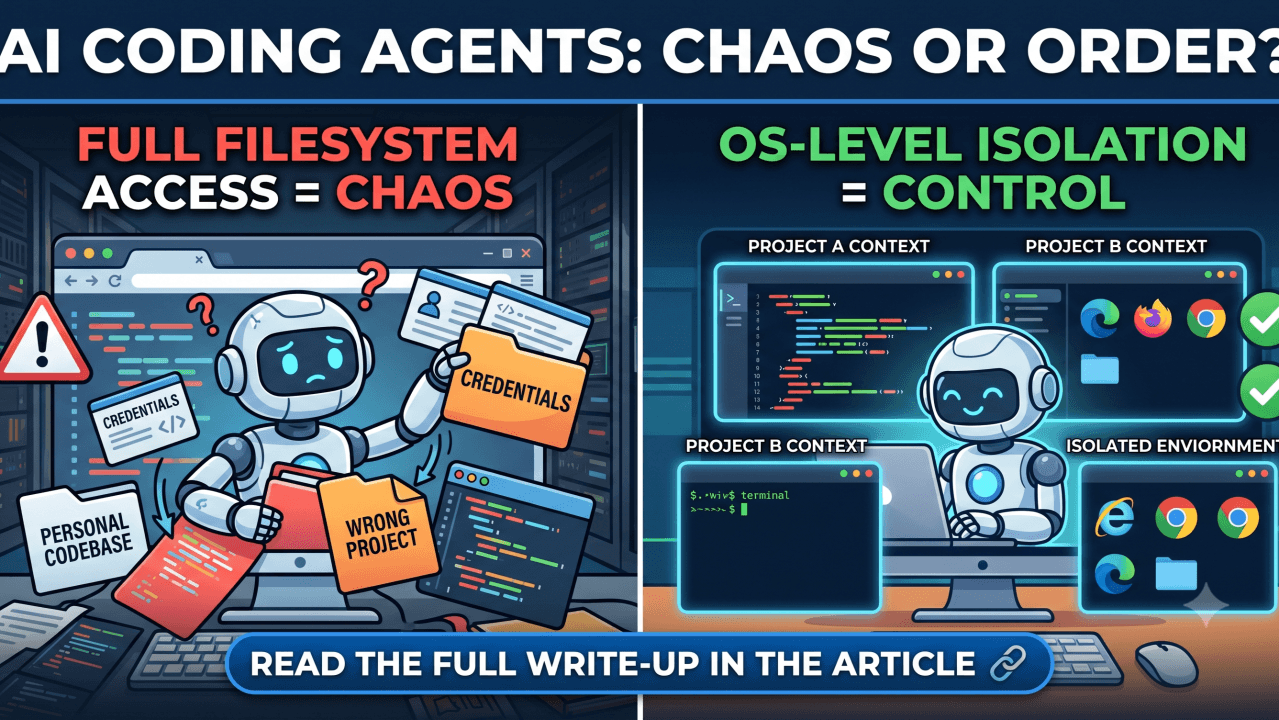
That works fine with a single context on your machine. Put your work code and personal projects in the same environment and the boundaries disappear. The agent has no concept of which project it's supposed to stay in. It can read proprietary code from one context while working in another, use credentials from the wrong project, or run a task that breaks things across both at once. For anyone working across project scopes, pulling patterns from one codebase into another is a risk, and agents that browse your filesystem make it easy to do without noticing.
I built secure-env-manager for OS-level environment isolation.
It works on top of the open source Distrobox software with added security hardening, management and user experience improvements.
Isolation
The tool creates separate development environments using Distrobox containers, each backed by optional LUKS-encrypted storage. The environments (work, personal, uni) are fully independent contexts.
Filesystem. The host home directory is masked inside the container with an empty tmpfs mount. A process in work can't read files from personal. The files don't exist from the container's view. This goes against the default Distrobox behaviour of always mounting the host for better file-sharing experience inter-environment, host mounting in this case would defeat the security isolation purpose; Therefore, only the host machine SUDO user can move files into the sub-environments.
Applications and state. Each environment gets its own VS Code or Cursor install, its own browser, its own terminal config. Open Cursor in work and it's logged into the right Git account with the right extensions. Switch to personal and none of that carries over. The script can be easily customized to install your own preferred applications and customizations, providing easily replicable and isolated development environments.
Browser sessions and accounts. Each environment has its own logged-in sessions and browser profiles. An agent opening a browser tab in work won't be logged into a personal account.
SSH keys. The tool generates per-environment keys automatically. Work and personal git identities use separate keyrings.
Encrypted storage (optional). For environments handling sensitive code or data, backing storage is a LUKS-encrypted sparse image that locks when the environment closes.
Agentic tools changed the calculus
A few years ago, keeping contexts separate was a discipline problem. You had to carry code or credentials from one place to another yourself.
Agentic tools removed that friction in the wrong direction. Claude Code and Cursor browse the filesystem for context, read related files, run scripts, and call APIs, often several steps from your original request. An agent crossing a context boundary you didn't mean to open can read code it has no business touching or expose data to a provider not authorized for that context.
Container isolation bounds all of this. An agent in work sees what belongs in work.
Usability
Most developers don't solve this because the obvious approaches kill the workflow. Separate machines are expensive. VMs are too slow and break the GUI workflows development depends on.
Distrobox preserves full host integration. The setup creates desktop launchers for each environment's apps. work-cursor, work-chrome, personal-code. Switching contexts is one click. Apps open as native windows with no VM overhead.
Audio required the most work. The container's developer user runs as UID 1001, but the host PulseAudio socket belongs to UID 1000. A socat proxy inside the container crosses that UID gap, so microphone and speakers work for video calls without giving the container elevated host access.
Webcam access goes through an explicit device mount. The setup writes a udev rule automatically. X11 display uses SI:localuser authorization, scoped to the current authenticated user rather than open to any process on the system.
Tradeoffs and security model
Host file access. The host home is masked with an empty tmpfs mount. From the container's view, those files don't exist. LUKS encryption at rest keeps your other environments' data out of reach regardless of what runs inside the container.
Privilege escalation. The container drops all Linux capabilities, adding back only three for debugging and sudo support. Escalation within the container hits a masked filesystem with nothing sensitive on the other side. The developer user has no docker group membership, which closes the most common container escape path.
X11 is the main residual surface. A compromised process with X11 access can read input or screen content from other X11 clients on the same display. This project handles accidental contamination and agentic blast radius as well as supply chain attacks targetting credential steal to a certain degree. It's not a full isolated DevSecOps VM environment and does not aim to be so, persistent and advanced threats are not accounted for.
The setup
Three environments: work for engineering, personal for open source and side projects, uni for Masters research. Each has an independent editor, browser session, and SSH identity. Switching is a launcher click.
After initial setup, the isolation is invisible. Anything trying to cross it fails cleanly.
Open source, bash script: github.com/joaojhgs/secure-env-manager. Linux only (Ubuntu 22.04+, Fedora 38+), requires Podman + Distrobox + cryptsetup.
Set up the isolation before an agent crosses a boundary you didn't mean to open.
Originally published on LinkedIn.
Related projects: public writing